

What is a coffee printer? A coffee printer is a machine that jets food-safe edible ink onto the foam surface of espresso drinks, cappuccinos, lattes, and beer — printing logos, photos, or custom designs in under 15 seconds. CINOART coffee printers are built for high-volume commercial use in cafes, hotels, events, and brand activations worldwide, achieving 600dpi resolution with every print.
Coffee Printer Models by CINOART

Best for: high-volume cafés, hotel breakfast, event printing
Highlights: fast printing, high resolution, stable build

(Discontinued in 2021)
Best for: standard café operations, small-to-mid volume
Highlights: easy setup, reliable output, great value
Coffee Printer Models by CINOART
Best for: high-volume cafés, hotel breakfast, event printing
Highlights: fast printing, high resolution, stable build
(Discontinued in 2021)
Best for: standard café operations, small-to-mid volume
Highlights: easy setup, reliable output, great value
Why a Coffee Printer Helps Your Business
Why a Coffee Printer Helps Your Business
A coffee printer turns every cup into a marketing asset. Whether you run a café, a hotel breakfast bar, or a pop-up event, customers love personalized designs—and they share them online.
For operations, a coffee printer creates consistent results with minimal training. Your team can print the same design again and again, even during rush hours.
For branding, you can print your logo, campaign visuals, or QR codes to drive repeat purchases and social engagement—directly on the drink.
Planning a cafe, hotel or event setup? Read the Coffee Printer Buying Guide before choosing a model.
Why a Coffee Printer Helps Your Business
A coffee printer turns every cup into a marketing asset. Whether you run a café, a hotel breakfast bar, or a pop-up event, customers love personalized designs—and they share them online.
For operations, a coffee printer creates consistent results with minimal training. Your team can print the same design again and again, even during rush hours.
For branding, you can print your logo, campaign visuals, or QR codes to drive repeat purchases and social engagement—directly on the drink.
Planning a cafe, hotel or event setup? Read the Coffee Printer Buying Guide before choosing a model.
CINOART PRO-CT2
Issued in 2019, The CINOART PRO-CT2 is an updated and enhanced version of the CINOART PRO. In addition to improved features, the model flaunts advanced structure and design. Quality and speed of printing were not compromised to give the product a comfortable shape which allows better accessibility.
Features:
- Support upgrade software and firmware online
- USB Camera function helps capture images
- Access images from local library
- Bulk upload photos via USB
- Clients in China can avail voice control operation
- Self-help modification QR code
- Self-help modification screen background

CINOART PRO-CT2
Issued in 2019, The CINOART PRO-CT2 is an updated and enhanced version of the CINOART PRO. In addition to improved features, the model flaunts advanced structure and design. Quality and speed of printing were not compromised to give the product a comfortable shape which allows better accessibility.
Features:
- Support upgrade software and firmware online
- USB Camera function helps capture images
- Access images from local library
- Bulk upload photos via USB
- Clients in China can avail voice control operation
- Self-help modification QR code
- Self-help modification screen background

CINOART PRO
Revealed in 2018, 2018’s groundbreaking product CINOART PRO was recognized worldwide for being one of the first coffee printer machines to flaunt such high resolution. The successful research and development and mass production of this 3D coffee foam printer was undoubtedly a milestone for us. For, it was time to bid farewell to printers demonstrating low resolution and speed.
Features:
- No need to connect to computers, just connect wi-fi or hotspot!
- Brightness, contrast and clarity of photos can be edited on the device after upload. No mobile apps required.
- Rotatable touch screen makes it user-friendly
- High resolution at 600 DPI ensures breathtaking quality of the final result
- Each print takes only 10 seconds
- Less maintenance required as new type of cartridge does not use sponge inside
CINOART PRO
Revealed in 2018, 2018’s groundbreaking product CINOART PRO was recognized worldwide for being one of the first coffee printer machines to flaunt such high resolution. The successful research and development and mass production of this 3D coffee foam printer was undoubtedly a milestone for us. For, it was time to bid farewell to printers demonstrating low resolution and speed.
Features:
- No need to connect to computers, just connect wi-fi or hotspot!
- Brightness, contrast and clarity of photos can be edited on the device after upload. No mobile apps required.
- Rotatable touch screen makes it user-friendly
- High resolution at 600 DPI ensures breathtaking quality of the final result
- Each print takes only 10 seconds
- Less maintenance required as new type of cartridge does not use sponge inside
How to Use CINOART Coffee Printer
Print on foam-based beverages in 10 seconds! From latte to beer, cocktails, milkshakes, nitro cold brew, and much more.
Need help with setup? Our team can guide you remotely.

Step 1:
Scan QR-Code to upload
Simply scan the QR code posted on the coffee printer, or from the settings menu. You will be directed to a website where you can select and upload any picture you wish to print from your mobile device.

Step 2:
Place Beverage on the Printer’s tray
Place your prepared drink of choice such as coffee or beer, etc, or food such as bread or ice cream on the coffee printer’s tray. For best outcomes, make sure the surface is flat.

Step 3:
Select & Print Image via tablet
Select your uploaded design from the device screen (tablet) and click the start button. Delight your customers with a beautifully personalized drink in only 10 seconds!
CINOART, Content For Your Business

Corporate Events

Coffee Shop/Bar

Beer Bar

Hotel

Weddings & Parties

Ice Cream Shop
CINOART, Content For Your Business
Corporate Events
Coffee Shop/Bar
Beer Bar
Hotel
Weddings & Parties
Ice Cream Shop
Photos From Our Clients

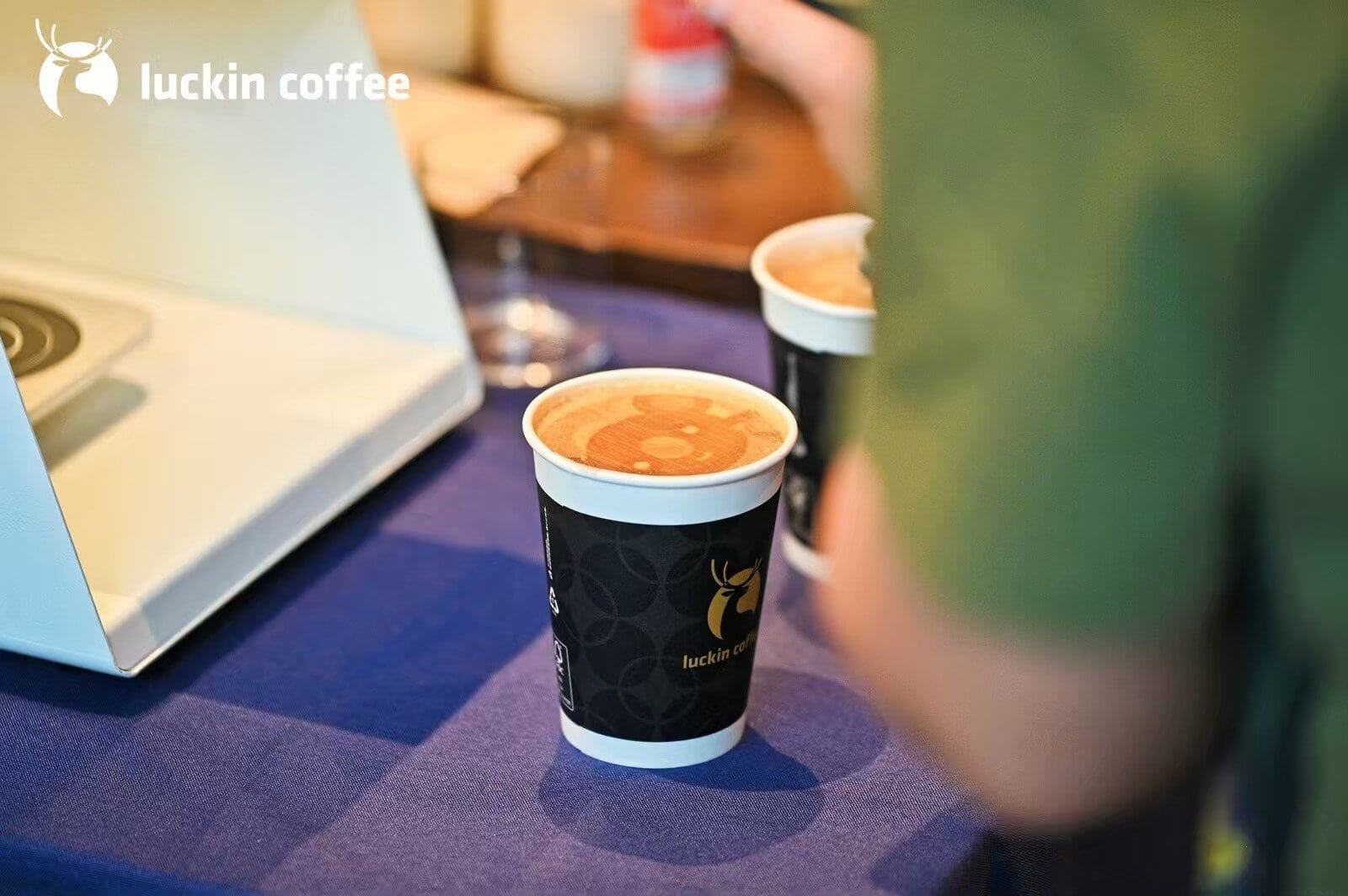
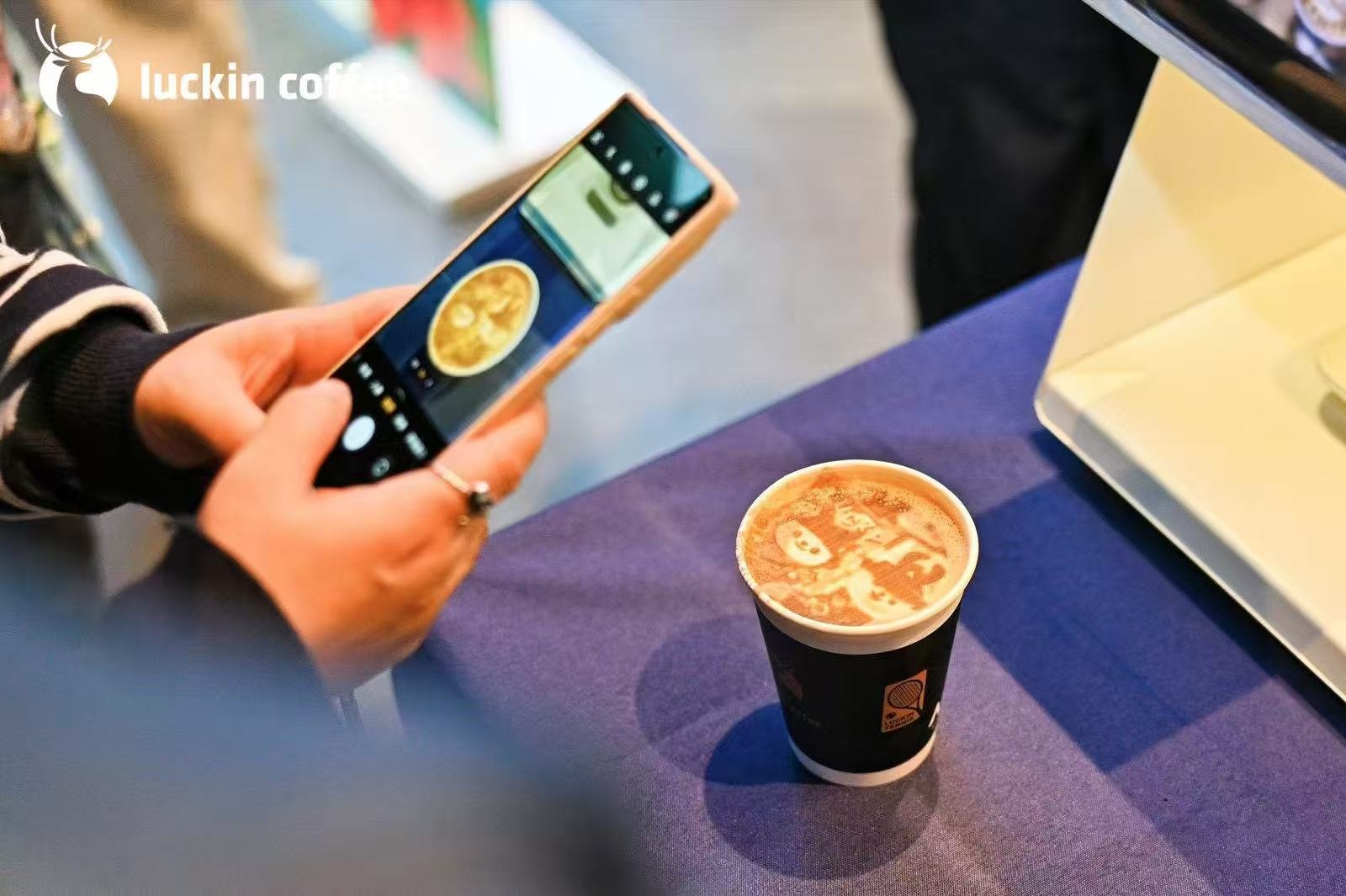


Photos From Our Clients
Coffee Printer FAQ
CINOART Coffee Printer Trusted by Global Brands








CINOART Coffee Printer Trusted by Global Brands
Get A Quote Today
Start To Order Your Coffee Printer Now, Get Your Coffee Printer In 10 Days.